NCERT Solutions For Class 124.4.5
Publisher Description
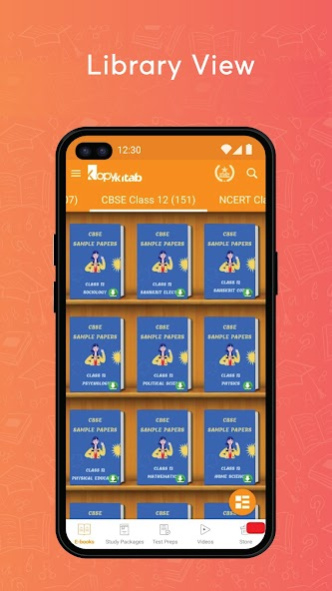
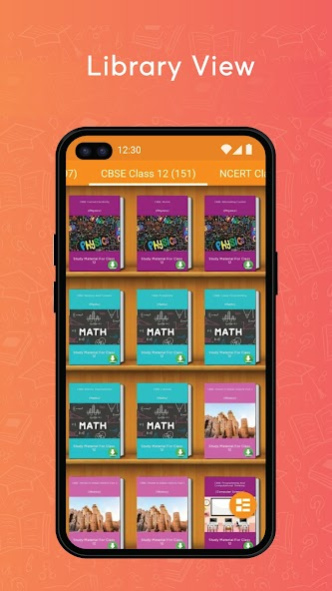
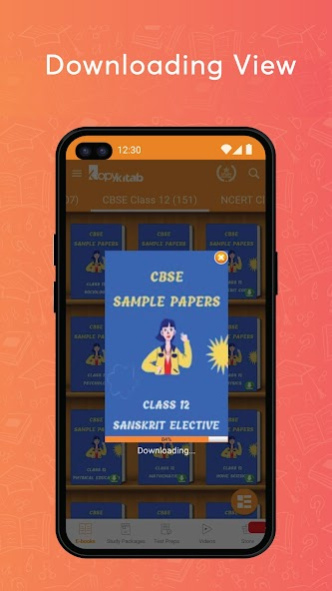
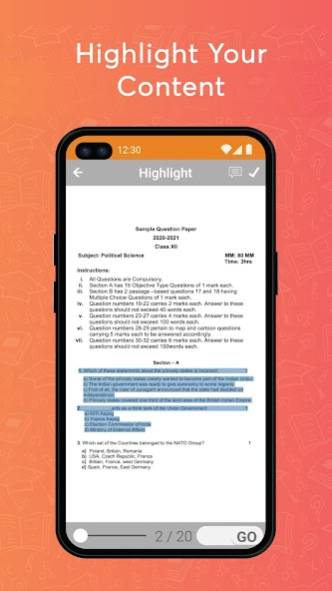
This App covers numerous Class 12 Important Questions from different subjects also the tricky questions from Last 10 Years Class 12 Question Papers. The materials in the CBSE Class 12 Solution App have been placed to meet the requirements of the students. You can access this CBSE Class 12 learning app in offline mode also.
Here you will get to examine Class 12 NCERT Books subject wise or topic wise. Here are some of the books:
- NCERT Class 12 English Book
- NCERT Class 12 Biology Book
- Class 12 Formula Book
- Class 12 Grammar Book
- NCERT Class 12 Hindi Book
- NCERT Class 12 Maths Book
- NCERT Class 12 Science Book
In the CBSE Board Class 12 Study App, you will get:
* CBSE Class 12 sample papers for all subjects 2023
* CBSE Class 12 Notes including Class 12 Biology Notes, Class 12 Chemistry Notes, Class 12 Geography Notes in English, Class 12 Geography Notes in Hindi, Class 12 Indian Economics Notes, Class 12 Jeev Vigyan Notes in Hindi and you will always have the option to examine Class 12 Notes Offline
* More than 10000 Questions / Class 12 All NCERT Solutions including Exemplars
* Class 12 NCERT Books & Chapter-wise Solutions (consisting of Class 12 NCERT Solutions Physics, Class 12 Maths NCERT Solutions in Hindi, Class 12 Chemistry NCERT Textbook Solutions, Class 12 Accountancy Solutions, Class 12 Geography NCERT Solutions as well as Class 12 Hindi NCERT Solutions) for Class 12 based on the new syllabus
* More than 5000 Practice Tests & MCQ followed by CBSE BOARD Class 12 Solved Sample Papers 2021
* Model question papers for the upcoming Class 12 exam 2020-21.
* CBSE Class 12 Last 10 Years Paper and model question papers with solutions
This Class 12 NCERT App Also Contains:
CBSE Sample Question Paper for Accountancy Class-12
CBSE Sample Question Paper for Biology Class-12
CBSE Sample Question Paper for Business Studies Class-12
CBSE Sample Question Paper for Chemistry Class-12
CBSE Sample Question Paper for Computer Science Class-12
CBSE Sample Question Paper for Economics Class-12
CBSE Sample Question Paper for English Core Class-12
CBSE Sample Question Paper for English Elective Class-12
CBSE Sample Question Paper for Hindi Core Class-12
CBSE Sample Question Paper for Hindi Elective Class-12
CBSE Sample Question Paper for History Class-12
CBSE Sample Question Paper for Home Science Class-12
CBSE Sample Question Paper for Maths Class-12
CBSE Sample Question Paper for Physical Education Class-12
CBSE Sample Question Paper for Physics Class-12
CBSE Sample Question Paper for Political Science Class-12
CBSE Sample Question Paper for Psychology Class-12
CBSE Sample Question Paper for Sanskrit Core Class-12
CBSE Sample Question Paper for Sanskrit Elective Class-12
CBSE Sample Question Paper for Sociology Class-12
Key Features of this App:
- Along with the test preps and previous year solutions this app contains all the study materials, solutions, and solved papers for all the subjects of class 12.
- Access the app anytime anywhere even without Internet.
- This app is free to download and can be accessed on mobile, tab and web.
- User friendly interface divided by different categories.
- In built fast eBook reader for a smooth reading experience.
- Bookmark, highlight, underline and use dark mode for your studies.
- Share directly your notes and screenshots with your friends without any hassle.
- Most preferred App for Class 12 CBSE Board Exam Preparation.
It is a cross-platform course that works on your Mobile, Tablets, and Web.
To check out the complete list of CBSE Class 12 eBooks, visit us at: https://www.kopykitab.com/Class-12
About NCERT Solutions For Class 12
The company that develops NCERT Solutions For Class 12 is DigiBook Technologies (P) Ltd.. The latest version released by its developer is 4.4.5.
To install NCERT Solutions For Class 12 on your Android device, just click the green Continue To App button above to start the installation process. The app is listed on our website since 2023-09-05 and was downloaded 46 times. We have already checked if the download link is safe, however for your own protection we recommend that you scan the downloaded app with your antivirus. Your antivirus may detect the NCERT Solutions For Class 12 as malware as malware if the download link to com.kopykitab.class12.cbse.oswaal is broken.
How to install NCERT Solutions For Class 12 on your Android device:
- Click on the Continue To App button on our website. This will redirect you to Google Play.
- Once the NCERT Solutions For Class 12 is shown in the Google Play listing of your Android device, you can start its download and installation. Tap on the Install button located below the search bar and to the right of the app icon.
- A pop-up window with the permissions required by NCERT Solutions For Class 12 will be shown. Click on Accept to continue the process.
- NCERT Solutions For Class 12 will be downloaded onto your device, displaying a progress. Once the download completes, the installation will start and you'll get a notification after the installation is finished.
Program Details
System requirements
Download information
Pricing
Version History
version 4.4.5
posted on 2023-09-05
- Support For Android 13.
- Removed Some Permissions.
- Performance And Bug Fixes.
version 4.4.4
posted on 2022-04-05
- Removed some permissions.
- Support for android 11.
- Performance & bug fixes.
version 4.4.0
posted on 2020-12-21
- Performance and Bug Fixes
version 4.3.9
posted on 2020-09-02
- Added Privacy Policy in Registration as well as in Settings Page
- Support for Android 10(Q)
- Performance & Bug Fixes
version 4.3.8
posted on 2020-03-31
- PDF: Go to Page Number
- Performance & Bug Fixes
version 4.3.7
posted on 2020-03-13
Performance, UI and bug fixes
version 4.3.6
posted on 2019-10-31
- UI, Performance and Bug fixes.
version 4.3.5
posted on 2019-08-29
We have made the app super cool now. You can now access:
1. Videos by top tutors
2. Store Updates
3. Performance and bug fixes.
How to use the "QnA on the go"
1. Download & Open any Practice Paper in the App
2. Click on "Save My Answers"
3. Start Adding the Questions & Corresponding Answers
4. Once Reached to end of the Practice Paper, where Answer keys are mentioned, Click on "Show My Answers" to see your Answers and Evaluate.
version 3.0
posted on 2016-09-20
We have upgraded the app with these fixes/features:,1. Search all the books offline.,2. Night mode - Now read your books in night mode.,3. Performance fixes for faster books downloads.,4. My Profile/Change Password pages to change within your app.,5. Maintenance & Bug fixes
